
Download Lyricist – AI‑Powered Lyrics Generator for Musicians
Why Lyricist Is the Next Essential Tool for Songwriters
In the modern music‑making landscape, time is as valuable as talent. Whether you are an indie artist juggling gigs, a producer racing against studio deadlines, or a seasoned songwriter looking for fresh inspiration, the ability to generate high‑quality lyrics quickly can make the difference between a finished track and a missed opportunity. Lyricist answers this need with an AI‑driven engine that crafts verses, choruses, and bridges in seconds, all without the friction of downloading bulky software.
The platform lives entirely in the cloud, meaning you can access it from any browser on Windows, macOS, Android, or iOS – a truly “download‑free” experience that eliminates compatibility worries and ensures you are always using the latest model updates. Beyond speed, Lyricist’s strength lies in its genre‑aware design: it understands the conventions of pop, rock, hip‑hop, country, EDM, and many more, tailoring language, rhyme schemes, and structural patterns to match the style you select. This focus on musical context helps you avoid generic output and keeps your creative voice authentic.
Moreover, the service offers a generous free tier, secure data handling, and optional premium plans for heavy users. In short, Lyricist provides a secure, flexible, and instantly available songwriting companion that can help you break through writer’s block, prototype ideas on the fly, and keep your creative pipeline flowing.
Overview of Lyricist’s AI‑Powered Capabilities
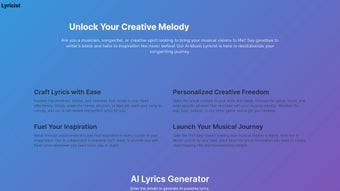
Launched in October 2023, Lyricist is a web‑based application that leverages deep‑learning models trained on millions of publicly available song lyrics. Its core mission is to transform vague concepts—like a mood, a keyword, or a genre—into polished lyrical drafts ready for further refinement. The platform’s interface is intentionally minimalist: a clean dashboard invites you to select your desired genre, set the emotional tone, input up to five essential keywords, and define structural preferences such as verse‑chorus‑bridge patterns or line counts.
Once these parameters are entered, the AI processes the request and delivers a full set of lyrics within seconds. The output is not a static block of text; it is fully editable in‑browser, allowing you to tweak phrasing, swap synonyms, or rearrange sections instantly. Lyricist also includes a rhyming assistant that highlights both end‑rhymes and internal rhymes, offering alternative word choices that preserve meaning while enhancing lyrical flow.
For producers needing a quick hook, the “Instant Hook” feature generates a catchy chorus line in under ten seconds. All content can be exported as plain text, PDF, or copied directly into a Digital Audio Workstation (DAW) via clipboard integration. While the AI excels at generating ideas and drafts, it is designed to complement—not replace—human creativity, ensuring that the final product carries your unique artistic fingerprint.
Features, Pros & Cons: What Sets Lyricist Apart
Lyricist’s feature set is built around flexibility and speed, giving songwriters the tools they need to iterate quickly while maintaining creative control. Below is a detailed look at the most impactful capabilities, followed by an honest assessment of strengths and limitations.
- Genre‑Specific Engine: Choose from over 20 genres, each with built‑in stylistic guidelines that shape word choice, rhythm, and rhyme density.
- Mood & Emotion Tags: Tag your song with emotions such as “hopeful,” “brooding,” or “uplifting” to guide the AI’s tonal direction.
- Keyword Prioritization: Input up to five mandatory words or phrases that the AI must weave naturally into the lyrics.
- Structure Customization: Define verse‑chorus‑bridge layouts, line counts, or let the system suggest optimal structures based on genre.
- Length & Word‑Count Controls: Set exact word limits or line numbers to fit your song’s existing arrangement.
- Regeneration & Variant Options: Instantly generate alternative drafts to explore multiple lyrical pathways without starting over.
- Integrated Rhyming Assistant: Highlighted rhyme suggestions include internal, slant, and perfect rhymes with synonym alternatives.
- Instant Hook Generator: Produce a catchy chorus line in under ten seconds for demo tracks or quick brainstorming.
- Export Flexibility: Download lyrics as .txt, .pdf, or copy to clipboard for seamless insertion into any DAW.
- Collaboration Links: Share editable project URLs with band members or co‑writers for real‑time feedback.
Pros
- Rapid generation of lyrical ideas helps break writer’s block.
- Wide genre coverage makes it suitable for diverse musical styles.
- No installation required; works on any modern browser.
- Rhyming assistant and structural templates streamline workflow.
- Free tier available; premium plan adds higher limits and priority processing.
Cons
- AI drafts often need human polishing to reach professional quality.
- Occasional repetition of common phrases in niche thematic requests.
- Requires an active internet connection; no offline mode.
- Premium pricing may be steep for hobbyist songwriters.
- Genre‑specific slang (e.g., modern hip‑hop vernacular) can be less accurate.
Installation, Usage Instructions & Compatibility Details
Getting Started – No Download Required
Because Lyricist is a pure web application, you skip the traditional install process entirely. To begin, navigate to the official website, click “Sign Up,” and register using an email address or one of the supported social logins (Google, Apple, Facebook). After confirming your email, you are taken to a personalized dashboard that guides you through your first lyric creation. The onboarding wizard explains each input field, demonstrates how genre, mood, and keywords influence the AI, and offers a quick “Try a Sample” run so you can see results immediately.
Step‑by‑Step Usage Guide
- Log In: Securely sign in with your chosen credentials.
- Create or Open a Project: Start a fresh song or resume an existing draft.
- Define Parameters: Select genre, mood tags, input mandatory keywords, and choose a structural layout.
- Generate Lyrics: Click “Create” and watch the AI compose a full set of verses, choruses, and bridges.
- Edit In‑Browser: Use the built‑in editor to fine‑tune lines, replace words, or rearrange sections. The rhyming assistant highlights potential improvements.
- Export or Share: Download the final text, export as PDF, copy to clipboard for DAW insertion, or generate a shareable link for collaborators.
Device Compatibility
- Windows 10/11 – Chrome, Edge, Firefox, or Safari (via Windows Subsystem for Linux)
- macOS 11+ – Safari, Chrome, or Firefox
- Android 8+ – Chrome or native WebView in the Lyricist mobile site
- iOS 13+ – Safari or Chrome
The responsive design automatically adapts to tablets, laptops, and smartphones, ensuring a consistent experience whether you are in a home studio or on tour. Since all processing occurs in the cloud, performance hinges on internet speed rather than local hardware, making Lyricist a lightweight yet powerful companion for any musician on the go.
Frequently Asked Questions & Final Thoughts
FAQ
Is Lyricist really free to use?
Lyricist offers a free tier that allows up to five lyric generations per month with core features. Unlimited access, higher word limits, and priority processing are available through affordable monthly or annual premium plans.
Can I export the lyrics directly to my DAW?
Yes. After generating a lyric, you can copy it to the clipboard or download it as a plain‑text file. The clipboard integration works seamlessly with most DAWs, allowing you to paste lyrics into track notes or vocal guides instantly.
How secure is my data and the lyrics I create?
Lyricist uses SSL encryption for all data transfers and stores drafts on GDPR‑compliant servers. Users retain full ownership of their content, and the platform does not sell or reuse lyrics for commercial purposes.
Does Lyricist support collaboration with band members?
Collaboration is possible via shareable project links. You can invite bandmates to view, edit, or comment on a lyric draft, making remote songwriting sessions smooth and efficient.
Will the AI learn from my personal style over time?
The current version does not retain personal user data for model training. However, by consistently using your own keywords and stylistic descriptors, you can guide the AI toward a more familiar voice across sessions.
Conclusion – Should You Download Lyricist?
If you regularly encounter writer’s block or need a rapid lyrical sketch to accompany a fresh beat, Lyricist offers a fast, secure, and entirely browser‑based solution that eliminates the hassle of installing heavyweight software. Its genre‑aware AI, robust rhyming assistant, and flexible export options make it a valuable addition to any musician’s toolkit. While the free tier is generous enough for occasional experimentation, serious songwriters will likely appreciate the premium plan’s higher limits and priority processing.
Remember that the AI’s output serves as a creative springboard—not a finished product—so be prepared to inject your own artistry and polish the final lyrics. Overall, Lyricist stands out as a reliable, user‑friendly, and versatile lyric‑generation app that can help you turn a fleeting idea into a structured song framework within minutes. Ready to give your songwriting a boost?
Sign up for Lyricist today and start crafting lyrics that resonate with your audience.



.png)



